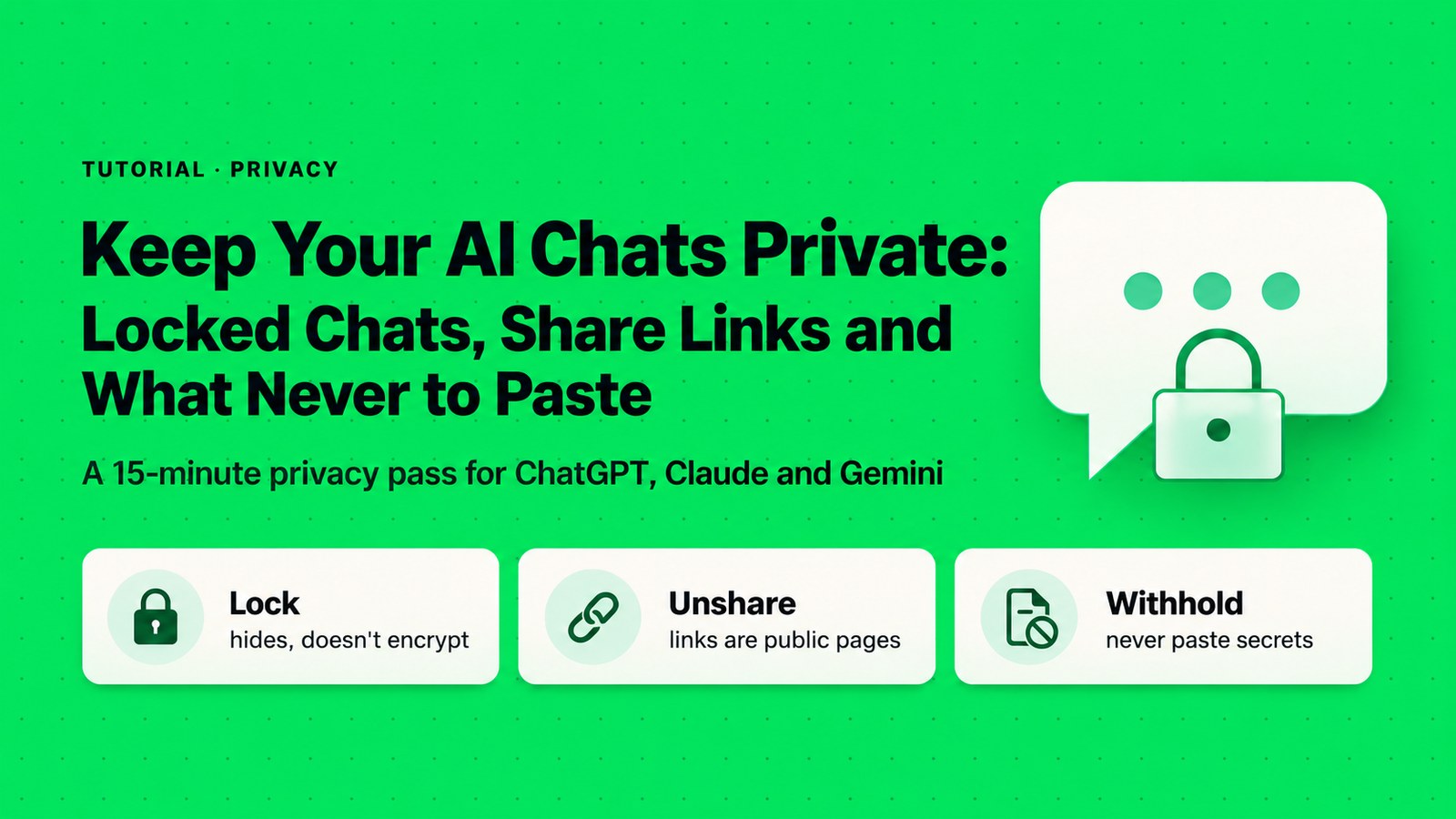
Keep Your AI Chats Private: Locked Chats, Share Links and What Never to Paste
"Locked" and "shared" mean less than most people think. Here's what ChatGPT's new locked chats really do, why a share link is a public page, and a 15-minute privacy pass across ChatGPT, Claude and Gemini.
Introduction
Two AI privacy stories landed on the same day, Oct 20, 2026, and they point in opposite directions.
First, OpenAI added locked chats to ChatGPT. You can now hide chosen conversations behind a 4-digit PIN or your device’s Face ID, Touch ID or unlock (ChatGPT release notes). It sounds like a vault. It isn’t one.
Second, Meta paused sharing in its Muse AI app. A security firm, Claroc, reported finding more than 6,800 Muse share links through a commercial passive-DNS dataset, with each chat’s title sitting right in the link’s address. Some sampled pages opened with no login: a loan application, a revenue review, a staff calendar (The Verge; Claroc, vendor research). “Anyone with the link” had quietly become “anyone who knows where to look.”
Put together, the lesson is simple. A lock on your screen doesn’t change what the company stores, and a share link is a public web page with a long address. In this tutorial you’ll learn what locking really does, how to set it up without losing your chats, how to find and kill old share links in all three big assistants, and what to keep out of a chat box entirely.
Before you start
- Locked chats are ChatGPT only. We found no PIN-lock feature documented for Claude or Gemini.
- Rollout: OpenAI’s release notes list Free, Go, Plus and Pro for a gradual rollout. The help page also lists Business, Enterprise and Edu, and excludes ChatGPT for Healthcare. You may not see it yet.
- No hands-on test yet: menu labels below are quoted from official help pages. Your screens may differ slightly.
1. What “Locked” Really Does in ChatGPT
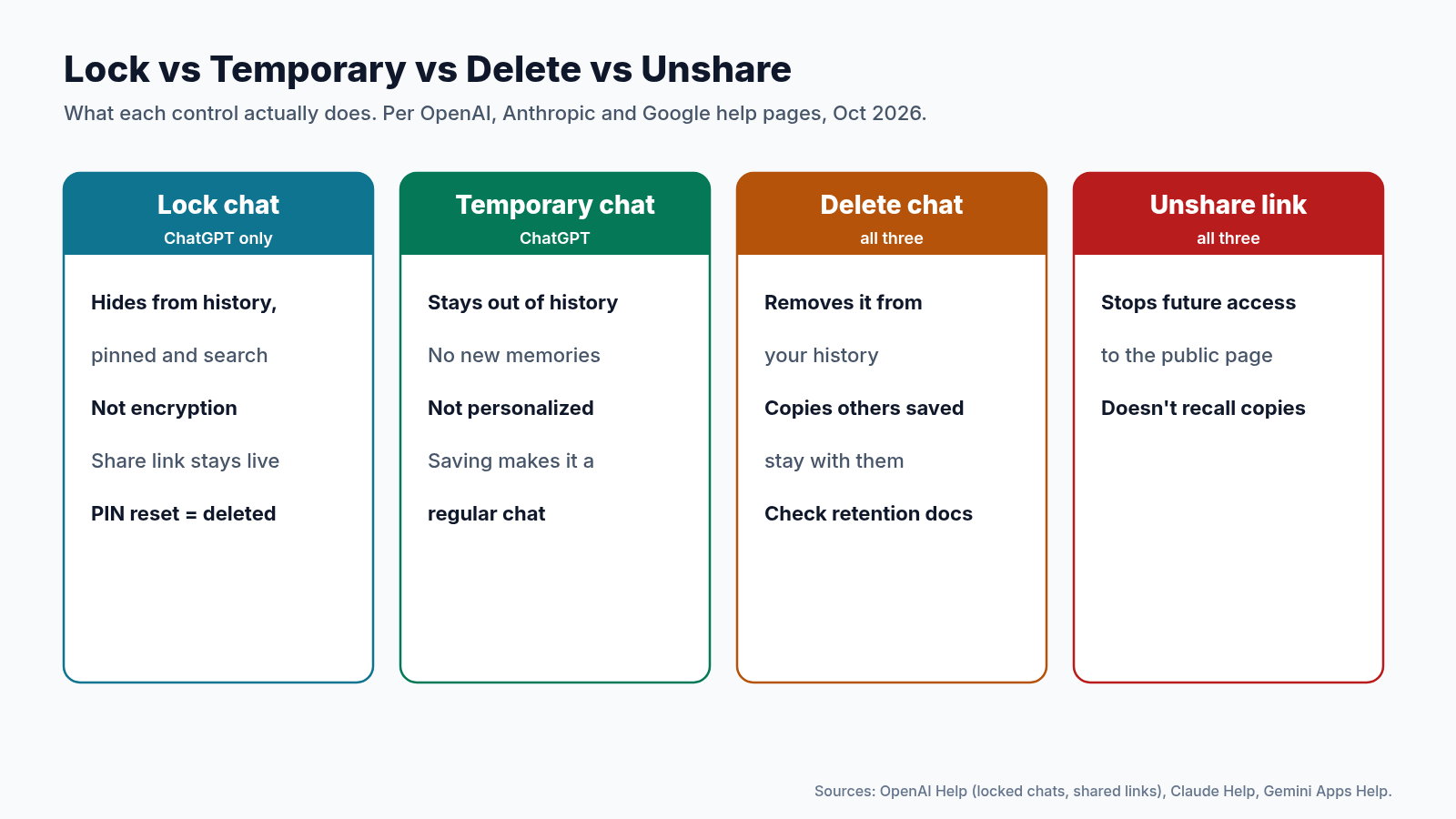
A locked chat disappears from your regular history, your pinned chats and search. To open it, you go to Projects → Locked chats and enter your PIN or use device authentication (OpenAI Help: Using locked chats).
That’s useful if someone borrows your laptop, or you share your screen in a meeting. But OpenAI’s help page is direct about what locking does not do:
- It doesn’t add end-to-end encryption or create an encrypted vault.
- It doesn’t change how long OpenAI keeps the data.
- It doesn’t change your Improve the model for everyone setting.
- It doesn’t remove memories ChatGPT already saved from that chat.
- It doesn’t override workspace or compliance rules. On Enterprise and Edu, locked chats still show up in Compliance Platform logs, even though admins can’t unlock them.
- It doesn’t delete a share link you already made. The shared copy stays reachable.
In short: locking hides a chat from people near your screen, not from OpenAI, your employer’s compliance tools, or anyone holding an old link.
What you can’t lock
Some chats can’t be locked at all: temporary chats, archived chats, group chats, chats you opened from someone’s shared link, chats with scheduled tasks, meeting recordings and background tasks, among others. And once a chat is locked, you can’t share, archive, pin or move it.
2. Lock a Chat Without Losing It
Step 1: Lock the chat and create your PIN
- Open the chat, select its ••• menu, choose Lock chat, then confirm with Lock chat again.
- The first time, you’ll be asked to Create a PIN. Enter 4 digits twice.
- Save that PIN in your password manager right now. The next section explains why.
Step 2: Open, re-lock and change the PIN
- To open: Projects → Locked chats, then your PIN, Face ID, Touch ID or device unlock.
- When you’re done, select Lock now. On mobile, access also ends after 1 minute away from locked chats or in the background; on the web, access ends when you leave the tab long enough, refresh, or close it.
- To change the PIN while you still know it: Settings → Security and login → Account PIN → Change. Changing keeps your chats.
The reset trap. Forgetting your PIN deletes nothing. But resetting it permanently deletes every locked chat, any memories stored only inside them, and files protected only by the old PIN. OpenAI Support can’t recover them. If you might forget, store the PIN somewhere safe before you lock anything important.
Two smaller things to know. Other devices that already had ChatGPT open may keep showing a locked chat’s title until they refresh, so lock before a screen-share, not during it. And if your account shows ads, OpenAI says ads may still appear inside locked chats.
3. Share Links Are Public Pages
Every big assistant lets you share a chat as a link. The wording is friendly (“anyone with the link”), but in practice that’s a public web page protected only by a hard-to-guess address. The Muse case shows how that can go wrong.
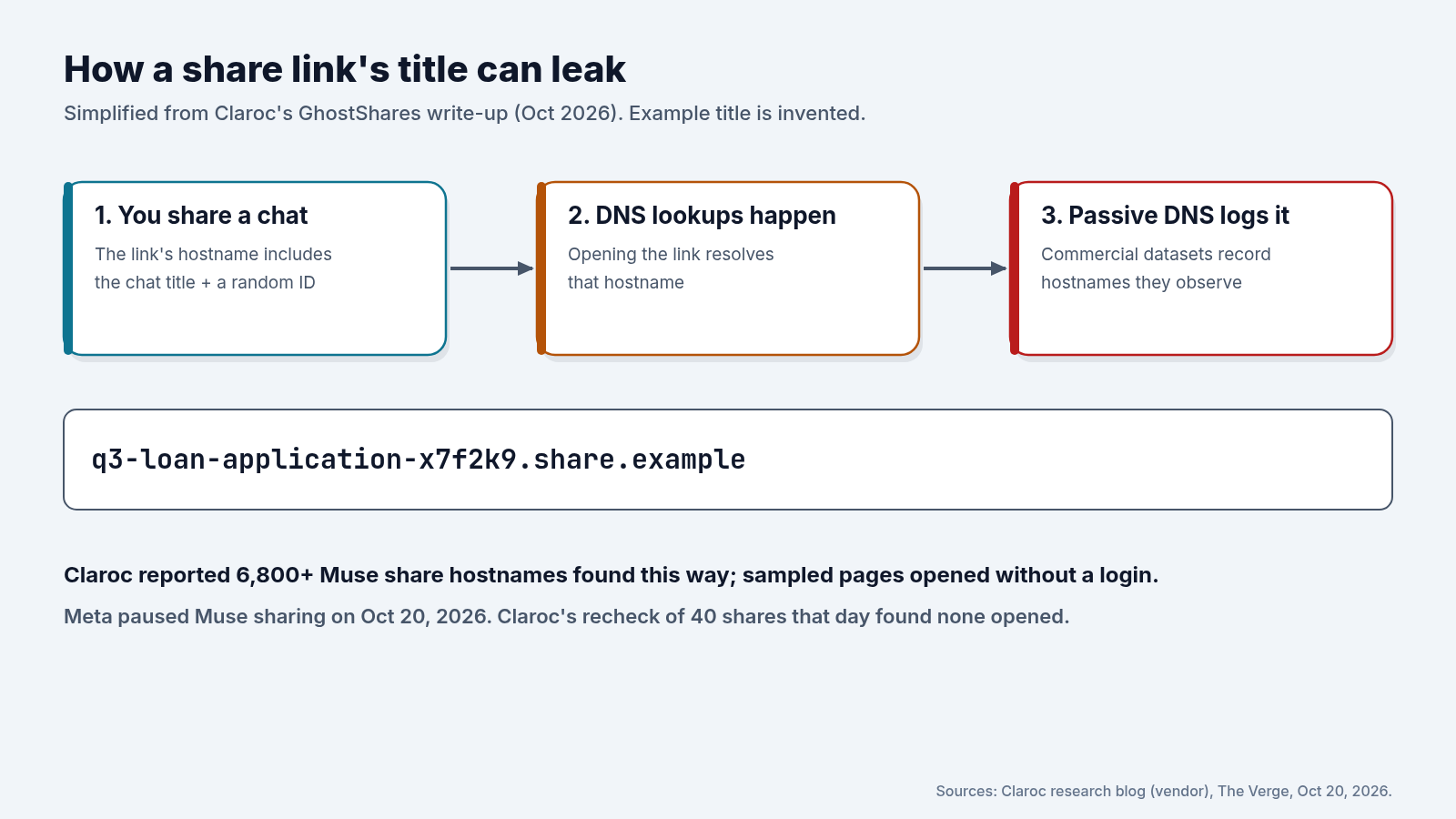
According to Claroc, Muse put the chat’s title plus a random ID into each share link’s hostname. When people opened those links, the hostnames were looked up through DNS, and commercial passive-DNS services record the hostnames they see. Claroc says it found 6,800+ of them that way. It reported the issue to Meta on Oct 8, and Meta paused sharing on Oct 20 while it reviews the feature. Claroc rechecked 40 shares that day and none opened, but the old hostnames, titles included, stay in DNS history. Claroc says it found no evidence the exposed shares were misused. Muse sharing is paused, not “fixed,” and we couldn’t confirm what its sharing settings look like now.
This isn’t only a Muse problem. Per Claroc and The Verge, shared ChatGPT and Grok chats turned up in search results in 2025. Anthropic’s own help page puts it best: “treat a public link as public” (Claude Help).
How the three big assistants handle shared links
| ChatGPT | Claude | Gemini | |
|---|---|---|---|
| Who can open a link | Anyone with the link (personal accounts); Business, Enterprise, Edu and Healthcare share inside the workspace only | Anyone with the link (Free, Pro, Max); Team and Enterprise share inside the org only | Anyone with the link, and they can continue the chat |
| One list to manage links | Yes | Yes (Free, Pro, Max) | Yes |
| Expiry | Not stated | Not stated | No set date: a link stays public while the chat is in your Gemini Apps Activity |
| Files in the shared view | Not stated | Not included | Uploaded images can be seen and downloaded |
| PIN-locked chats | Yes | None found | None found |
Sources: OpenAI sharing help, Claude share help, Gemini share help. Claude’s shared pages carry a noindex tag and use long random addresses; a Claude link is a snapshot from the moment you shared it.
4. Audit and Kill Your Share Links
Step 3: ChatGPT
- Go to Settings → Data controls → Shared links → Manage.
- Delete the links you no longer need, or choose Delete all shared links.
Deleting a link stops future access, but it doesn’t remove copies a recipient already saved. Deleting the conversation itself also removes its link.
Step 4: Claude
- Go to Settings → Privacy → Shared chats → Manage and select Unshare on each one.
- Or, inside a chat, open the Share menu and switch it from Public to Private.
Step 5: Gemini
- On the web, open Settings & help → Your public links.
- Choose Delete public link on each one, or Delete all links.
Remember that anyone holding a Gemini link can reshare it and continue the conversation, and the link stays public for as long as the chat is in your Gemini Apps Activity. Don’t wait on anything sensitive: delete the link now.
Two special cases
If a link already showed up in search: turn it off first, then ask Google to drop the stale result with its Remove outdated content tool. That’s Anthropic’s advice, and it works for any assistant’s links.
Locking a ChatGPT chat that you once shared? Delete its share link first. Locking won’t do it for you.
5. Temporary Chat, Locked Chat or Delete?
Pick the right tool before you start typing, not after:
- Temporary chat (ChatGPT) stays out of your history, isn’t personalized by default and doesn’t create memories. If you save it, it becomes a regular chat. Use it for one-off questions you don’t want following you around.
- Locked chat is for a conversation you want to keep and come back to, hidden from anyone glancing at your screen.
- Delete removes a chat from your history. For Gemini, you can delete activity under Settings & help → Activity or at myactivity.google.com.
On Gemini, treat link deletion and activity deletion as separate. The share help says a public link stays available for as long as the chat is saved in your Gemini Apps Activity, and that if any part of a chat in a public link is deleted, the public link is also deleted. The Manage your activity page separately says that deleting a shared chat from activity does not delete the related public link. Until those pages read as one rule, delete the public link first under Settings & help → Your public links, then delete the activity.
ChatGPT also has a Lockdown Mode under Settings → Security. It limits web access and external services to cut the risk of a prompt-injection attack sending your data out. That’s a different threat from a nosy coworker, but worth knowing about if you connect ChatGPT to your email or files.
6. What Never to Paste
No setting protects data you shouldn’t have typed in the first place. This is our own checklist, not any vendor’s:
- Passwords, API keys, recovery codes and 2FA codes.
- Full card or bank account numbers.
- Government ID numbers, such as passport or national ID numbers.
- Other people’s health, HR or performance details.
- Unreleased financials, customer lists or deal terms.
- Confidential meeting details: who is meeting whom, and when. One of Claroc’s Muse examples was call prep for a meeting.
- Anything you’d regret seeing on a public web page.
If your company provides a Business or Enterprise account, use it for work data, since those plans come with their own data-handling terms. And if a secret already went into a chat, deleting the chat isn’t enough: rotate the key or change the password.
7. Your 15-Minute Privacy Pass
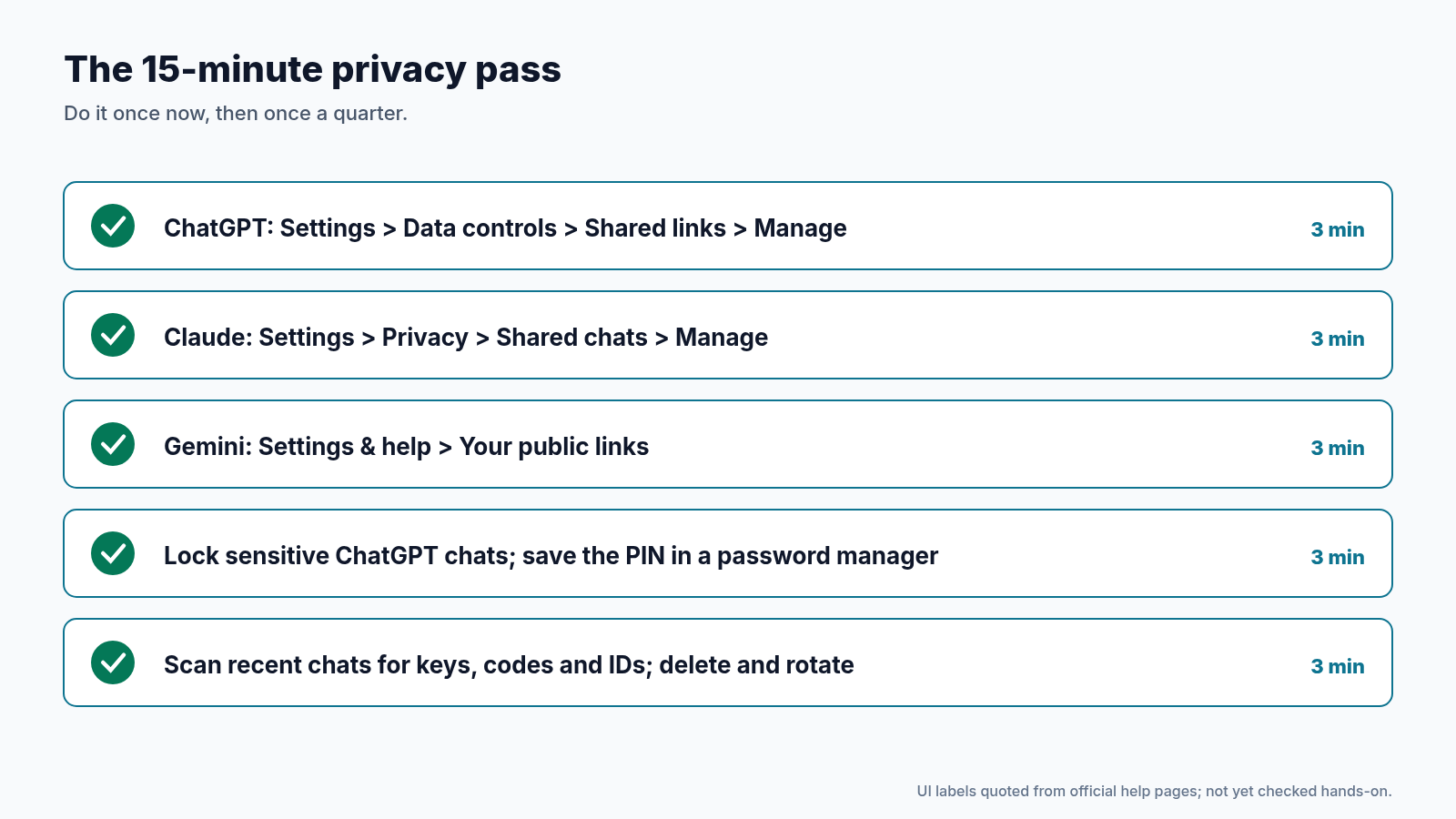
Set a timer and run through it. Most people find at least one link they forgot about.
8. Lessons Learned
- Locked isn’t encrypted: ChatGPT’s locked chats hide a conversation on your screen, not from OpenAI or compliance tools.
- Never reset the PIN casually: a reset permanently deletes all locked chats. Change it instead, and keep it in a password manager.
- Unshare before you lock: locking leaves existing share links live.
- A share link is a public page: audit links in ChatGPT, Claude and Gemini today.
- Some secrets never go in: keys, codes, IDs and other people’s data stay out of the chat box.
Conclusion
Locked chats are a welcome feature, and the Muse pause shows vendors do respond when sharing goes wrong. But neither changes the basics. What you type is stored under the company’s rules, and what you share is reachable by whoever ends up with the link. Spend 15 minutes on the privacy pass, lock the chats that deserve it, and keep the truly sensitive stuff out of the chat box altogether.
Where to Go Next
- Using locked chats in ChatGPT → help.openai.com
- Public links for shared chats (Anthropic) → support.claude.com
- Share your chats from Gemini Apps → support.google.com
- Meta pauses Muse chat sharing (The Verge, Oct 20, 2026) → theverge.com
- Set Up Grok Bot’s Vault Safely: Saved Logins and Cards for Your Bots → Read the story
- Give Your AI Agent a Short Leash: 5 Permission Settings to Check Today → Read the story
- Before You Connect a Personal AI Agent: A 10-Minute Privacy Checklist → Read the story
Share this with anyone who has ever hit “Share link” on an AI chat.