Gemini 4 Neon: pick the right Gemini for each job
Google’s new mid-tier model costs $3/$15 per million tokens and has no introductory price. Here is where it fits between Hydrogen and Carbon, using Google’s own rules and rate cards.
Google introduced Gemini 4 Neon on 18 November 2026. Its API ID is gemini-4-neon, and Google places it between the two Gemini 4 models many readers already use. In the announcement’s words: “While Carbon tackles your hardest, long-horizon projects and Hydrogen handles fast everyday execution, Neon balances depth and efficiency.”
That leaves one practical question: which of Hydrogen, Neon and Carbon should get each job? This comparison answers it with Google’s own “Choosing a model” rules and the official AI Studio rate card, first checked on 19 November 2026 and re-checked on 21 November 2026 (UTC). We did not run the models for this piece, so every benchmark and cost-per-task figure below is Google’s, not ours.
The short version
- Hydrogen is Google’s default for everyday coding and agentic workflows, including interactive web apps, routine code edits and multimodal document pipelines. It is the only one of the three on the free API tier.
- Neon is for “high-frequency complex tasks”, with “deeper reasoning than Hydrogen while finishing faster with fewer output tokens than Carbon”. Its Standard rate is $3 input and $15 output per million tokens, with no promotional price and no change on 1 December.
- Carbon is for “long-horizon asynchronous work and deep verification”, and for your hardest problems. Its promotional $2/$10 rate runs through 30 November 2026; from 1 December 2026 it is $4/$20.
Where you can use Neon
The announcement says Neon is rolling out from 18 November 2026 in the Gemini API in Google AI Studio, in Gemini for business through the API and the model drop-down, for paid Google AI Pro and Ultra subscribers in Google Antigravity, and for Pro and Ultra subscribers in the Gemini app, who “can select Gemini 4 Neon from the model drop-down.” Google’s “What’s new in Gemini 4 Neon” page adds that it is available “with Google AI Pro and Ultra plans in Google AI Studio.”
On the API, the “Choosing a model” page says “Neon and Carbon require the paid API tier,” and the Neon migration checklist says Neon “is available on the paid tier only.” In Google AI Studio itself, the same page says you can also use Neon on AI Pro or Ultra and Carbon on AI Ultra. The pricing page lists Neon, Carbon and Argon as “Not available” on the free tier; Hydrogen is “Free of charge” there. Nothing official puts Neon on a free or lower consumer plan, so we don’t either.
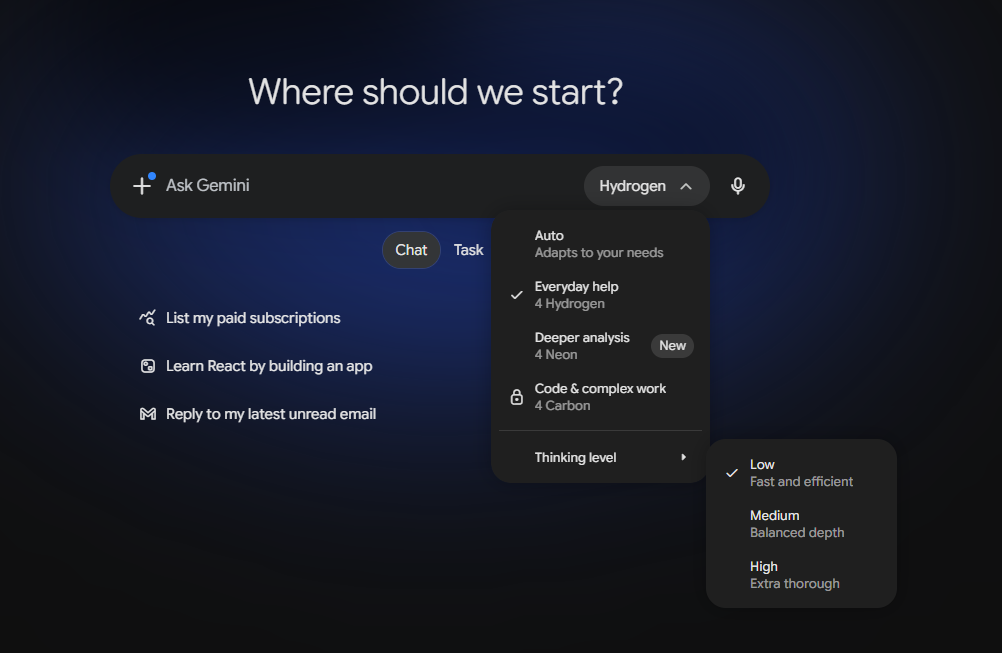
One note about the Gemini app. Its model picker now uses its own labels, shown in Figure 1 on a Google AI Pro plan. Google’s model docs and the Gemini Apps release notes, which on 21 November still ended at the 17 November Tasks entries, don’t describe those labels yet, so the official description is simply that Pro and Ultra subscribers can choose Neon from the model drop-down.
The three models share the same window: a 1,048,576-token context, long decode up to 1,048,576 tokens, and a default synchronous maximum output of 65,536 tokens. All three take text, image, video, audio and PDF input and return text.
Google’s three rules
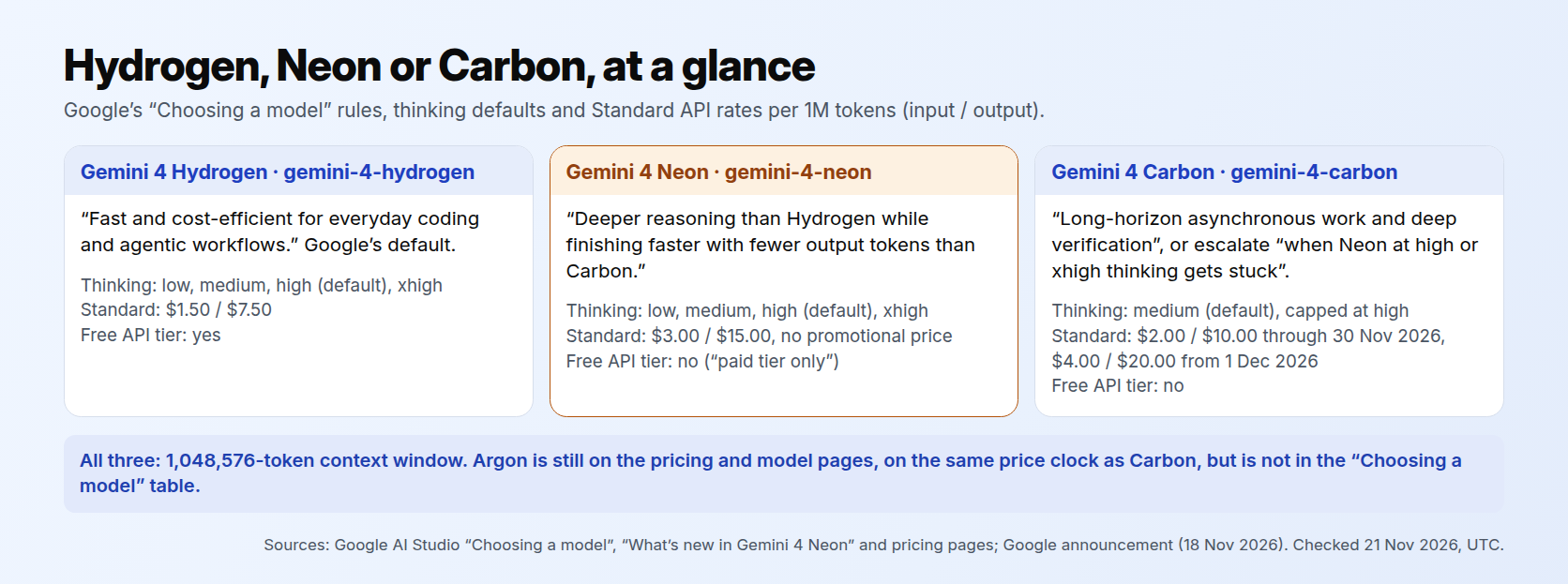
Google’s “Choosing a model” page gives each model a lane.
- Default to Hydrogen (
gemini-4-hydrogen), which is “fast and cost-efficient for everyday coding and agentic workflows.” Google suggests it for “interactive web apps, routine code edits, multimodal document pipelines, and parallel worker subagents.” - Use Neon (
gemini-4-neon) for “complex, interactive software engineering, dense knowledge work, and science workflows.” It “delivers deeper reasoning than Hydrogen while finishing faster with fewer output tokens than Carbon.” Google suggests it for “multi-file refactoring, repository-wide debugging, and analytical tasks where a developer or coding agent is waiting on the response.” - Use Carbon (
gemini-4-carbon) for “long-horizon asynchronous work and deep verification”: “multi-hour background runs, deep research, formal proofs, and security audits,” or “escalate to Carbon when Neon athighorxhighthinking gets stuck.” The “What’s new” page adds Carbon for “your hardest architecture, debugging, science, and security problems.”
Two details in that wording are easy to miss. First, Neon is defined by speed and frequency as well as difficulty: it is for hard work where someone is waiting on the answer, and Google’s “What’s new” page places it between Hydrogen and Carbon “for high-frequency complex tasks.” Second, debugging appears in two lanes. Repository-wide debugging is in Neon’s lane; Carbon’s lane is the slower, deeper kind, where it spends more thinking tokens to “isolate root causes across repositories, and check fixes against tests.”
The thinking settings follow the same pattern. Neon and Hydrogen offer low, medium, high and xhigh, with high as the default. Carbon defaults to medium and stops at high; it has no xhigh. Per Google’s Neon migration note, Argon is the same as Carbon here.
Three jobs, three models
Here is how we would route three common jobs using those rules. The jobs are our examples. We planned them against Google’s wording; we did not score the models on them.
- A small code edit and a test run. This is everyday coding, so it goes to Hydrogen, Google’s default. If you use the API’s free tier, Hydrogen is also the only one of the three you can call there.
- A multi-file refactor you repeat every week. This is multi-file refactoring, which Google names in Neon’s lane, and it is high-frequency work you wait on, which is the case Google describes for Neon. The same goes for recurring knowledge work that is too deep for Hydrogen, such as a weekly analysis you build from several long documents.
- A security audit or a system architecture review. Security audits are named in Carbon’s rule on the “Choosing a model” page, and the “What’s new” page names architecture problems for Carbon too. So is the fallback: if Neon gets stuck at
highorxhighthinking, Google’s guidance is to escalate to Carbon.
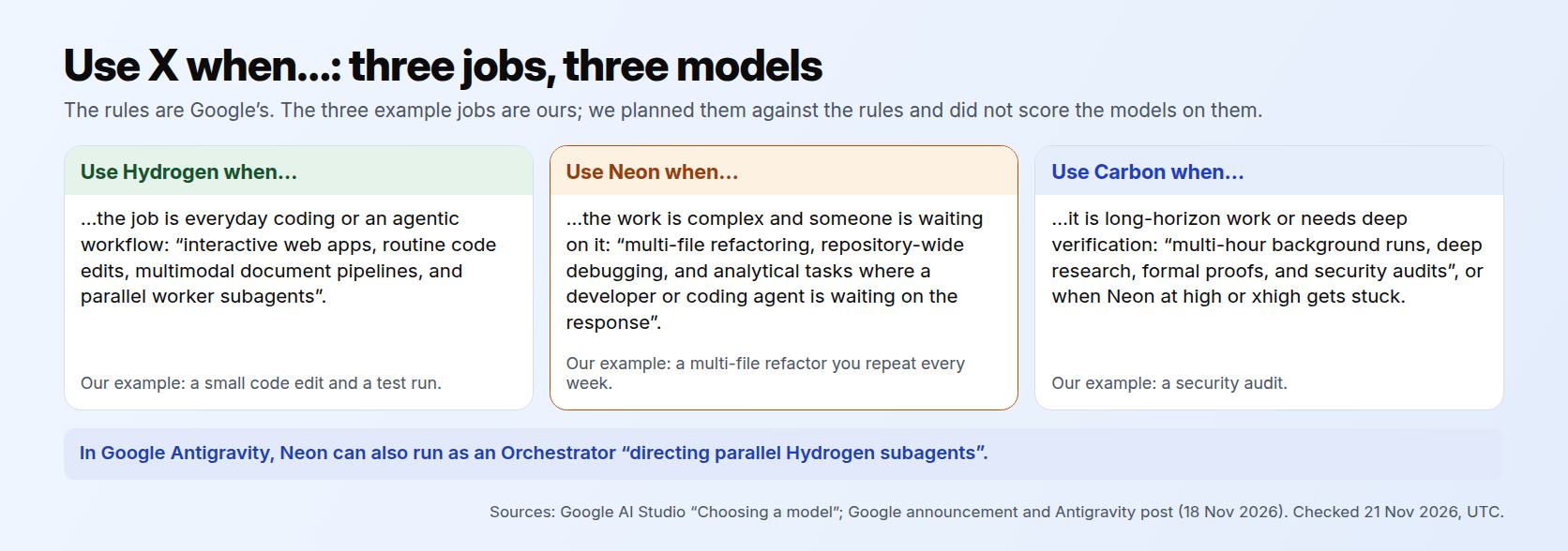
You don’t always have to pick one. Google says Neon can run “standalone or acting as a fast, high-judgment Orchestrator directing parallel Hydrogen subagents.” Google’s Antigravity post describes that pairing in one session: Neon plans, Hydrogen carries out routine edits, package updates and test runs, and work that runs into friction goes back to Neon. If you already use Hydrogen for daily work, our Gemini 4 Hydrogen guide covers that side.
The API rate card
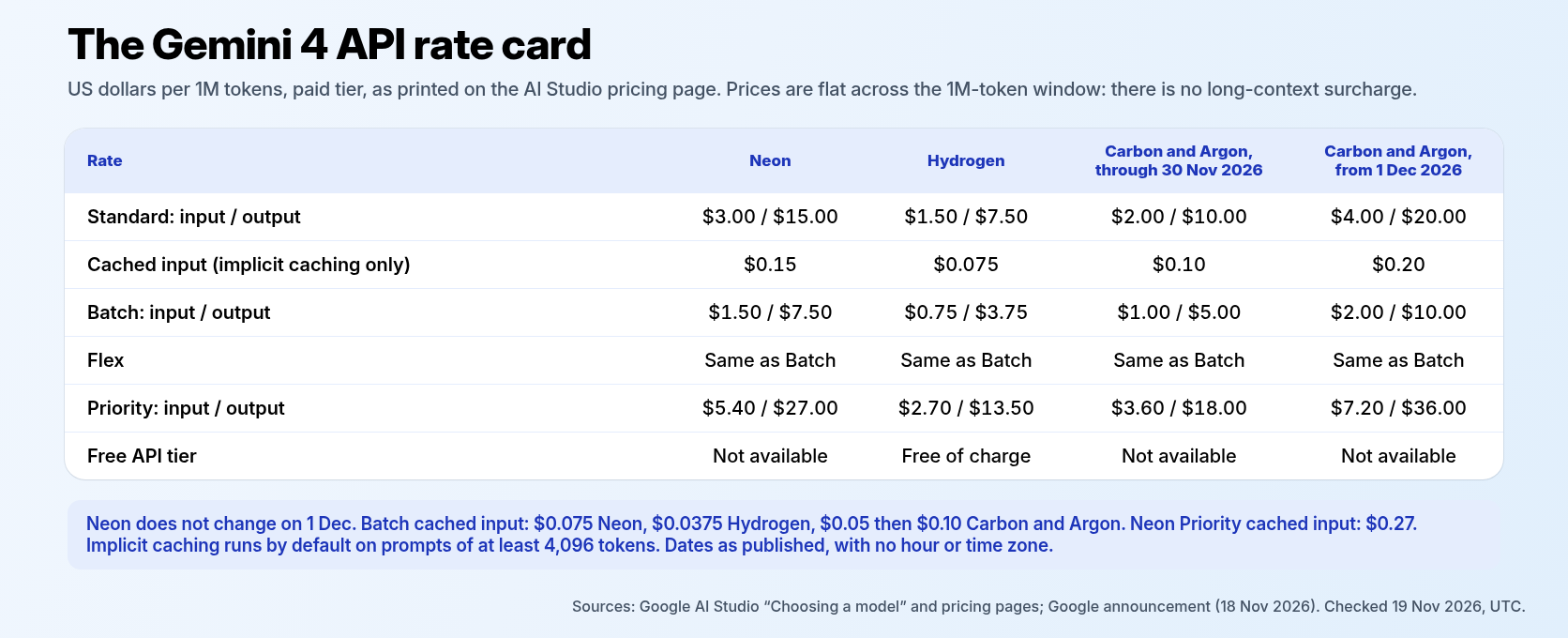
All prices below are Google’s Standard paid-tier list prices per million tokens, from the AI Studio pricing page. Google prices all four models flat across the full one-million-token window. There is no long-context surcharge in the official tables.
- Neon: $3.00 input and $15.00 output. Google’s “Choosing a model” page says “Neon has no promotional price,” and nothing in the pricing table changes for Neon on 1 December.
- Hydrogen: $1.50 input and $7.50 output, and free of charge on the free tier.
- Carbon and Argon: $2.00 input and $10.00 output through 30 November 2026, then $4.00 and $20.00 starting 1 December 2026. Google publishes these as calendar dates with no hour or time zone, so if you plan around the change, leave yourself a margin.
Caching. Neon’s cached input is $0.15 per million tokens, a 95% discount. Neon supports implicit caching only, not explicit caching, and the “What’s new” page says implicit caching “runs by default on prompts of at least 4,096 tokens.” Hydrogen’s cached input is $0.075. Carbon and Argon cached input is $0.10 through 30 November 2026 and $0.20 from 1 December 2026, also implicit only.
Batch and Flex. All four models offer Batch, which Google’s paid-tier overview describes as “Batch API (50% cost reduction).” Neon’s Batch rate is $1.50 input and $7.50 output, with cached input at $0.075. Hydrogen’s Batch rate is $0.75 input and $3.75 output, with cached input at $0.0375. Carbon and Argon Batch rates are $1.00 input and $5.00 output through 30 November 2026, then $2.00 and $10.00 starting 1 December 2026, with cached input at $0.05 then $0.10. Flex matched Batch on all four pricing tables we checked.
Priority. Neon costs $5.40 input and $27.00 output, with cached input at $0.27. Hydrogen is $2.70 and $13.50. Carbon and Argon are $3.60 and $18.00 through 30 November 2026, then $7.20 and $36.00 from 1 December 2026.
Two billing details apply to every model. Google bills every token the model processes, including thinking tokens, and including internal tool system instructions and function declarations when you use grounding. Grounding with Google Search is billed per query: 5,000 free requests a month shared across Gemini 3 and newer models, then $14 per 1,000, with a cap of 1,500 a day.
Read the “32% lower cost” line carefully
Google’s announcement makes one cost claim: “At its default high thinking level, it pairs a high Artificial Analysis Intelligence Index score with a 32% lower cost per task than Carbon.”
That is a cost-per-task claim, not a price comparison. Look at the list prices instead and the picture depends on the date. Through 30 November 2026, Neon’s $3/$15 is higher than Carbon’s introductory $2/$10. From 1 December 2026, Carbon’s $4/$20 is higher than Neon’s. Cost per task also depends on how many tokens each model uses on a job, which list prices don’t show. So treat the 32% figure as Google’s measurement of its own models, and check your own bills before you move a workload because of it.
Google also published benchmark results for Neon. A few of them, in Google’s words: an Artificial Analysis Intelligence Index score of 61 at xhigh, “#3 overall”; an Artificial Analysis Coding Agent Index of 58.6, “#1 overall”; 65.2% on Terminal-Bench 4.1; and 46.2% on FrontierCode 2.0 “at its default high setting.” Google also says Neon had its “lowest fabrication rate yet” in internal Google Antigravity testing. That last result is from Google’s internal testing, not an outside benchmark.
What about Argon?
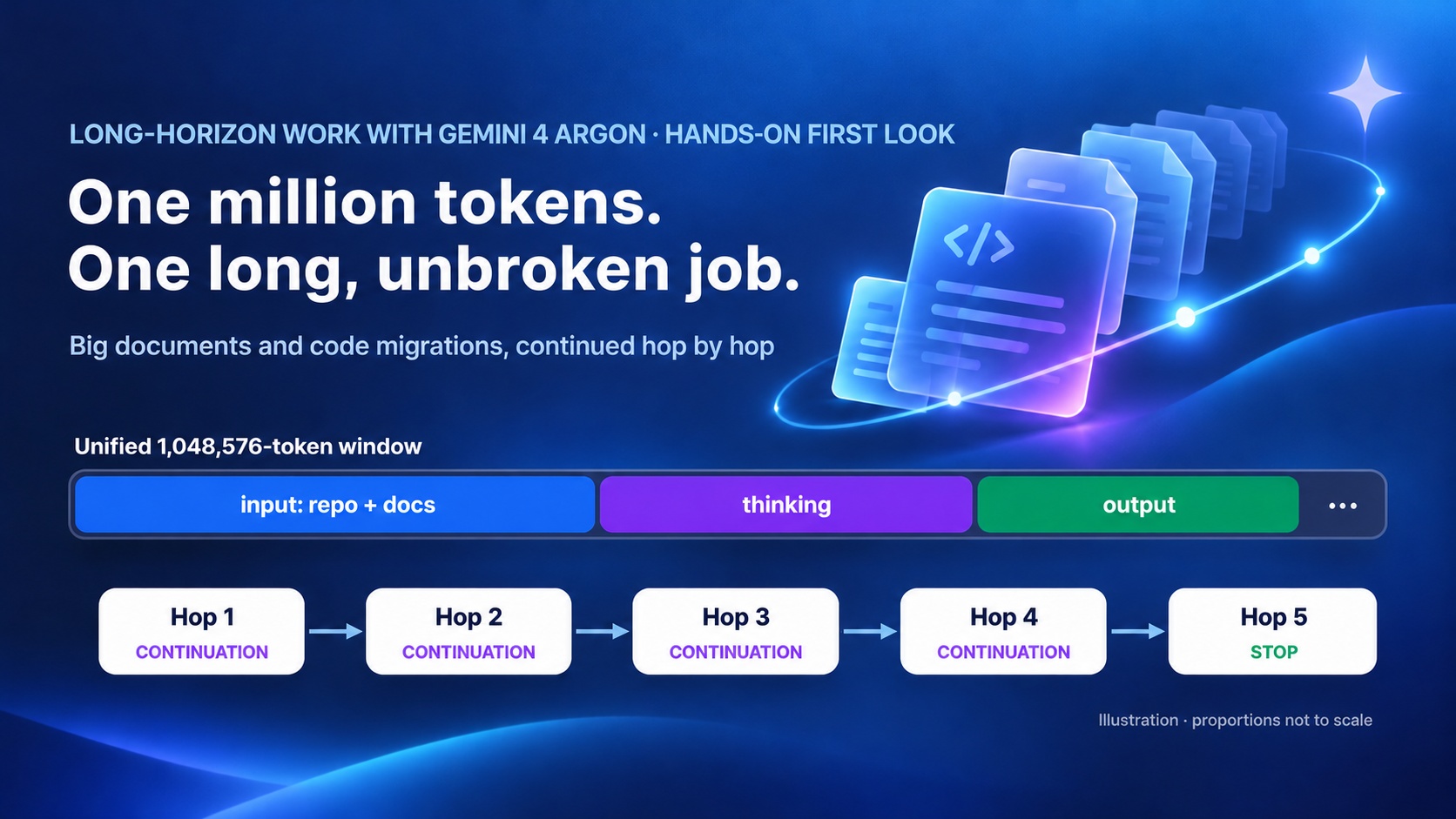
Gemini 4 Argon is still on Google’s pricing and model pages as gemini-4-argon, on the same price clock as Carbon. It is not in the general-purpose table on the “Choosing a model” page, which lists Carbon, Neon, Hydrogen and Gemini 3.5 Flash-Lite. Nothing official says Neon replaces Argon, so don’t plan as if it does. If you use Argon for long-running work, our hands-on first look at Gemini 4 Argon still applies, and its rates go up on 1 December along with Carbon’s.
The rule
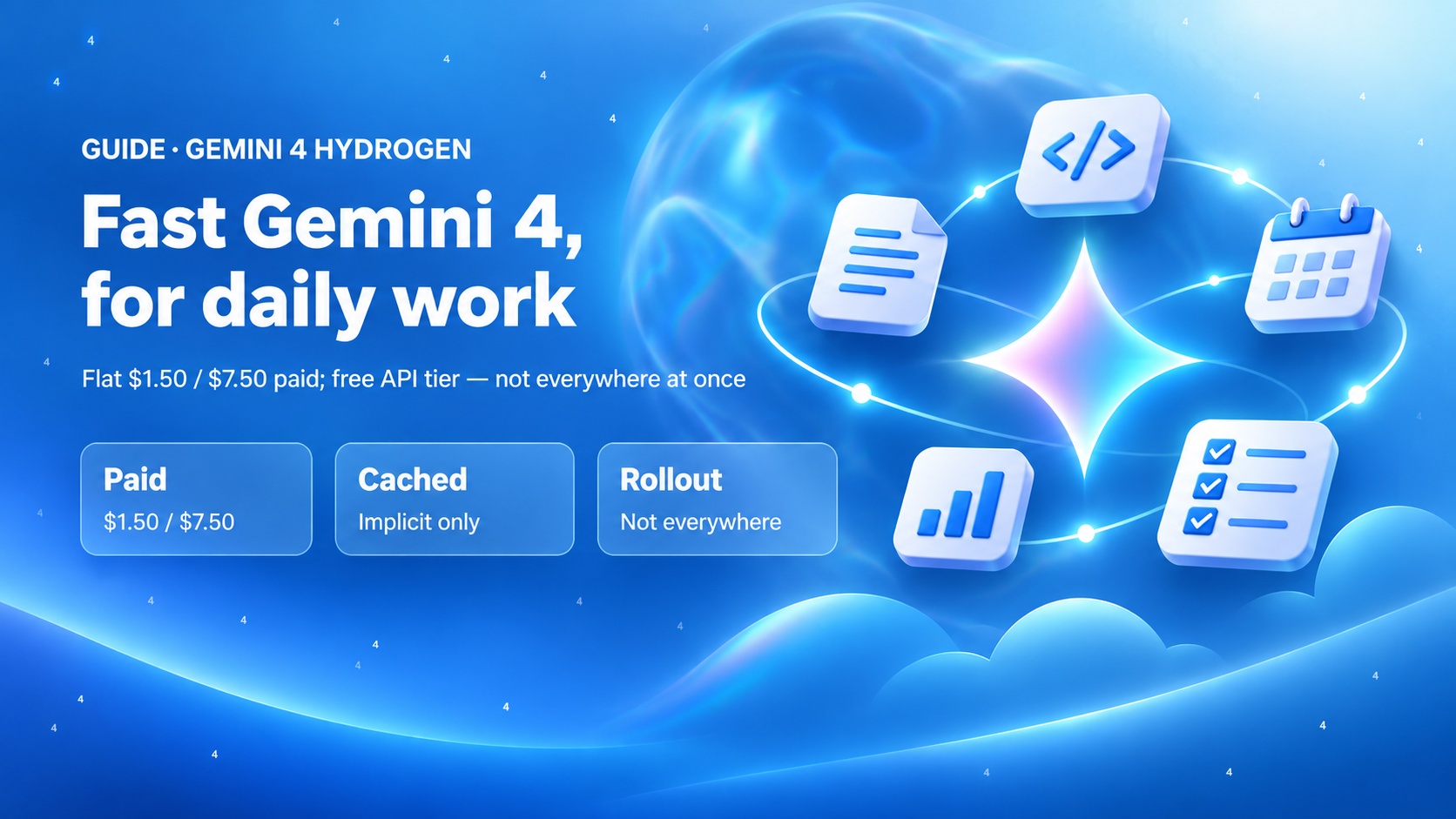
Start with Hydrogen for everyday coding, apps, agents and documents, especially if you rely on the free API tier.
Move to Neon for hard work you do often: multi-file coding, recurring knowledge work and science workflows. Budget $3/$15 per million tokens, cut it with implicit caching and Batch, and expect no change on 1 December.
Save Carbon for your hardest problems and for jobs Neon gets stuck on at
highorxhigh, and budget for its $4/$20 rate from 1 December 2026.
Related reading
- Put Gemini 4 Hydrogen to work on your daily tasks
- Long-Horizon Work with Gemini 4 Argon: A Hands-On First Look
Sources
- Google, Introducing Gemini 4 Neon (18 Nov 2026)
- Google AI Studio, Pricing (Neon, Hydrogen, Carbon and Argon tables)
- Google AI Studio, Choosing a model
- Google AI Studio, Gemini 4 Neon model page
- Google AI Studio, What’s new in Gemini 4 Neon
- Google Antigravity, Gemini 4 Neon in Google Antigravity
Comparison · November 2026 · official pages checked 19 Nov and re-checked 21 Nov 2026 UTC; models not run for this piece