Skip to content
AI Productivity Insights

Tutorial · Step 1 of 5 · 1 min read

Configure Custom Key for Your TripAdvisor Account

Step-by-Step Guide: Creating an MCP Server with Azure AI Agent Service for TripAdvisor Marketing Campaign

Step 1: Configure Custom Key for Your TripAdvisor Account

  1. Obtain an API key for your Tripadvisor developer account: https://www.tripadvisor.com/developers
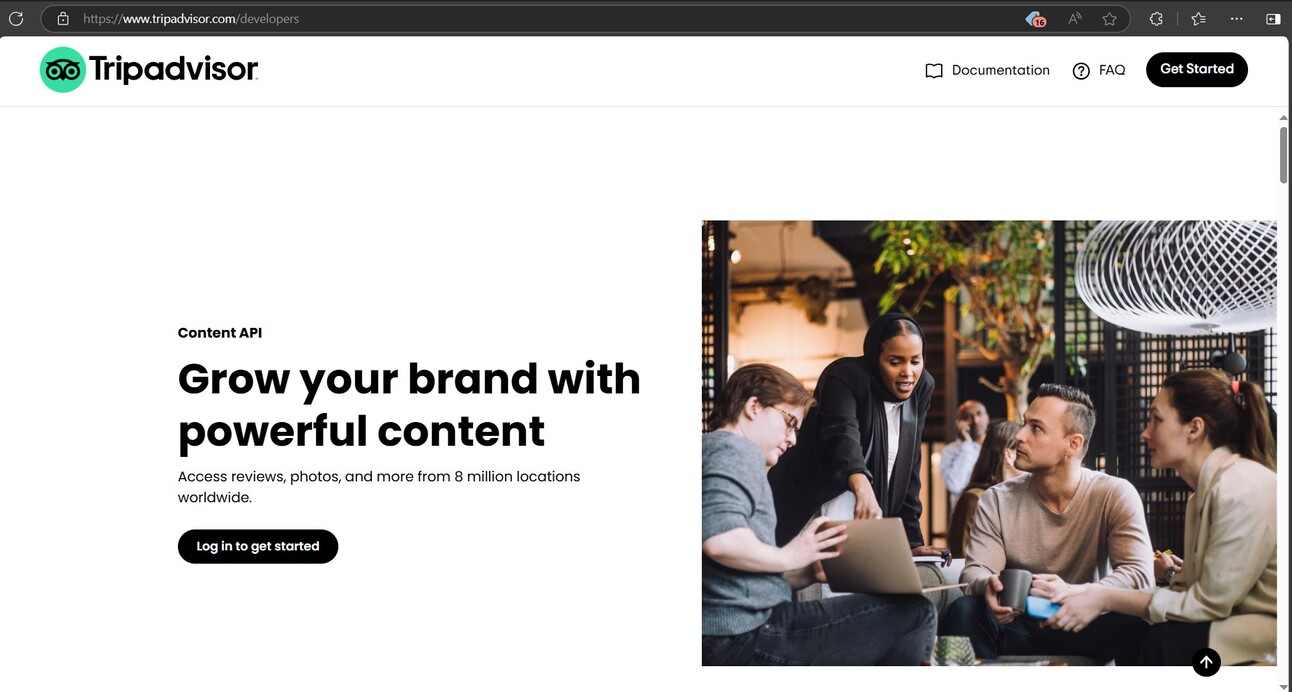
Screenshot of the Tripadvisor developer page for the Content API, Grow your brand with powerful content, offering access to reviews and photos from 8 million locations, with a Log in to get started button.

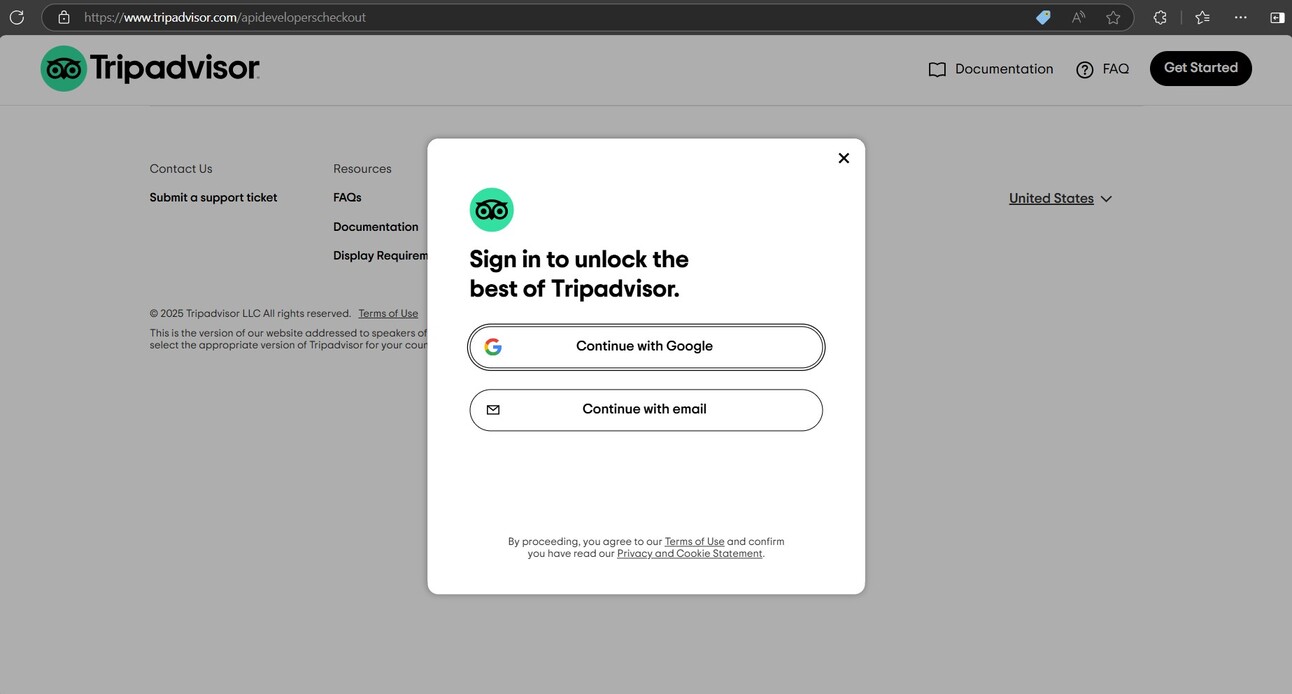
Screenshot of the Tripadvisor sign-in dialog for the developer portal, with options to continue with Google or with email.

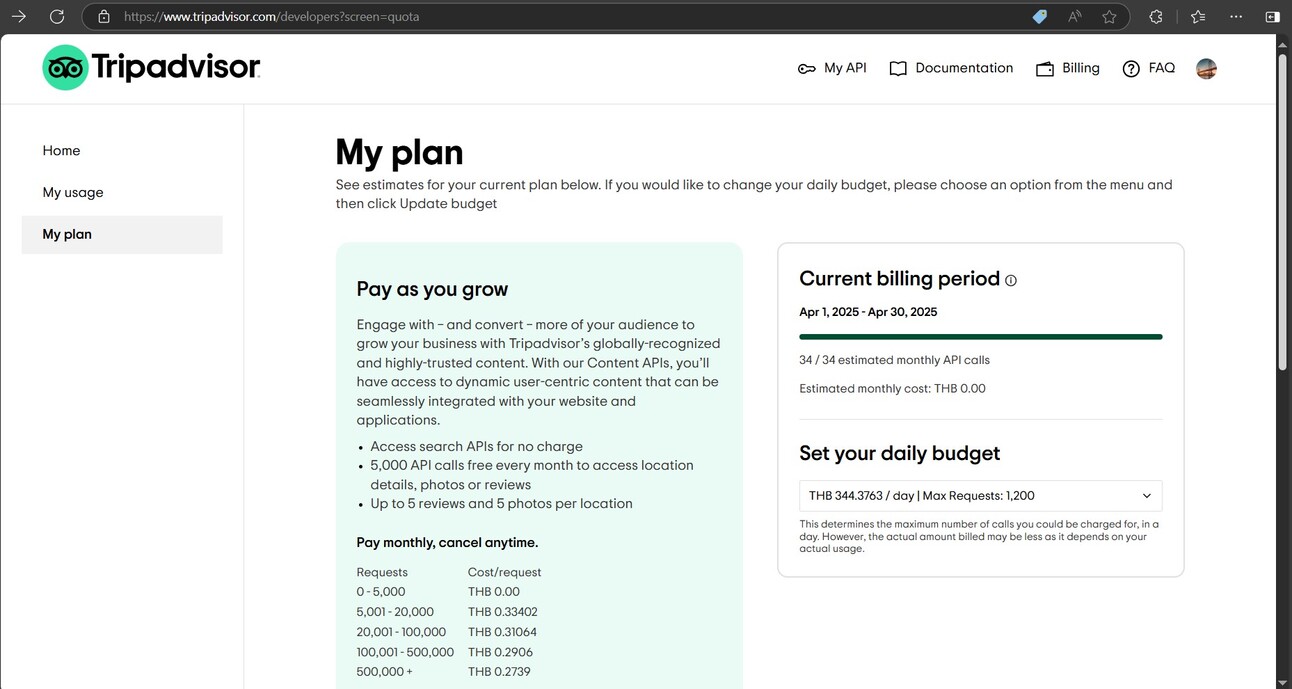
Screenshot of the My plan page in the Tripadvisor developer portal: the pay-as-you-grow plan with 5,000 free API calls a month, prices per request above that, and a daily budget setting.

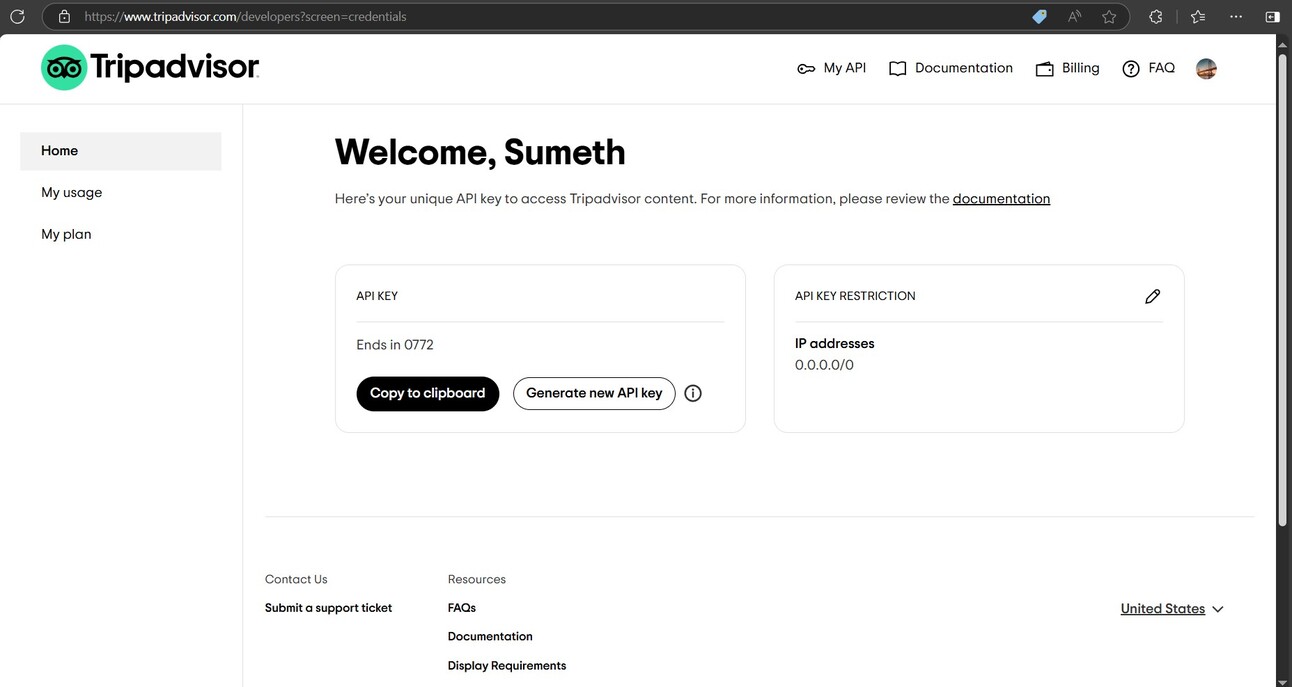
Screenshot of the Tripadvisor developer home page with your API key, buttons to copy it or generate a new one, and the API key restriction set to IP addresses 0.0.0.0/0.

  1. Before obtaining an API key, you must enter your billing and payment information
  2. Generate a new API key and copy it to your clipboard for later use
  3. Set the IP address to 0.0.0.0/0 in the API key restrictions to allow traffic from Azure AI Agent Service.
  4. You can monitor API usage through the “My Usage” menu
  5. Go to Azure AI Foundry portal and select ”Management Center”
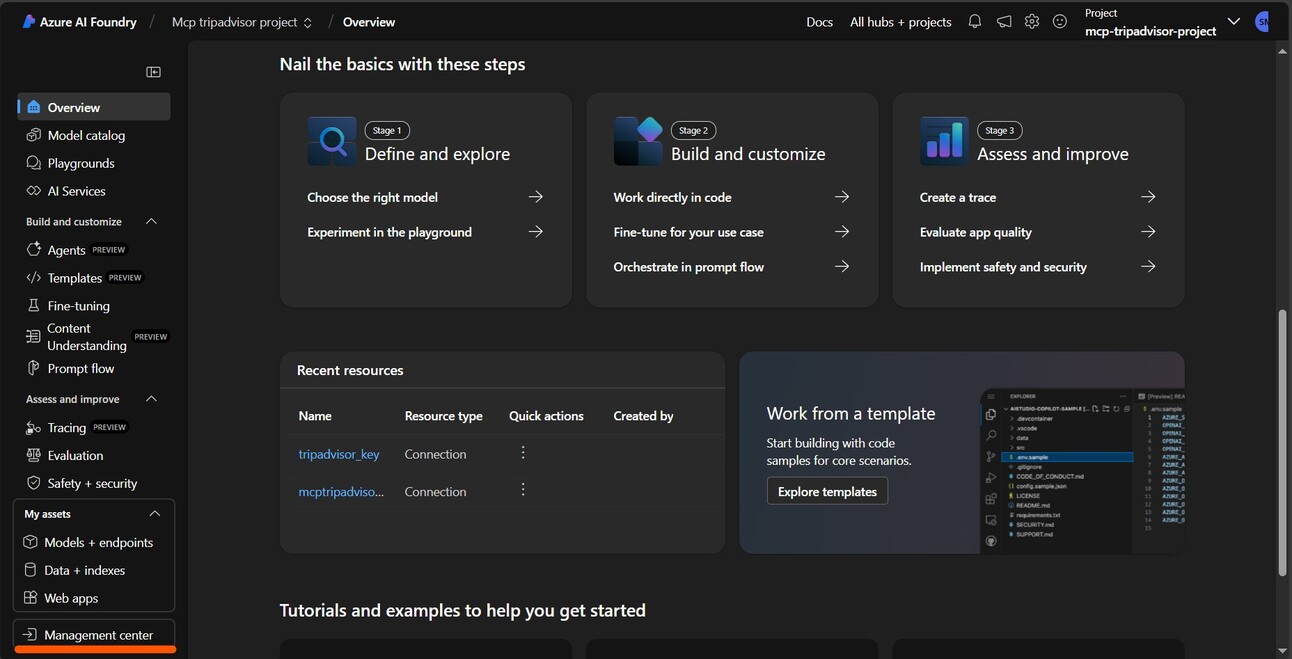
Screenshot of a project overview in Azure AI Foundry, with Management center highlighted at the bottom of the left menu.

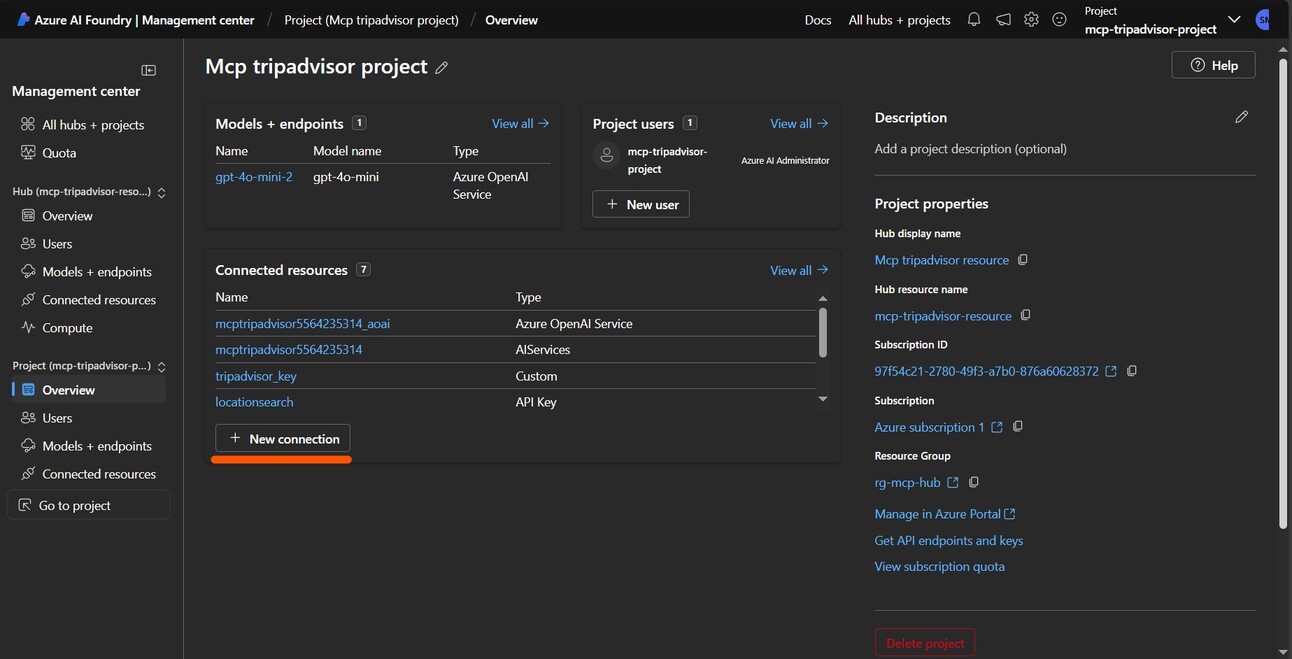
  1. Select “+New connection”

Screenshot of the project page in the Azure AI Foundry Management center, listing the GPT-4o mini deployment and connected resources, with the New connection button highlighted.

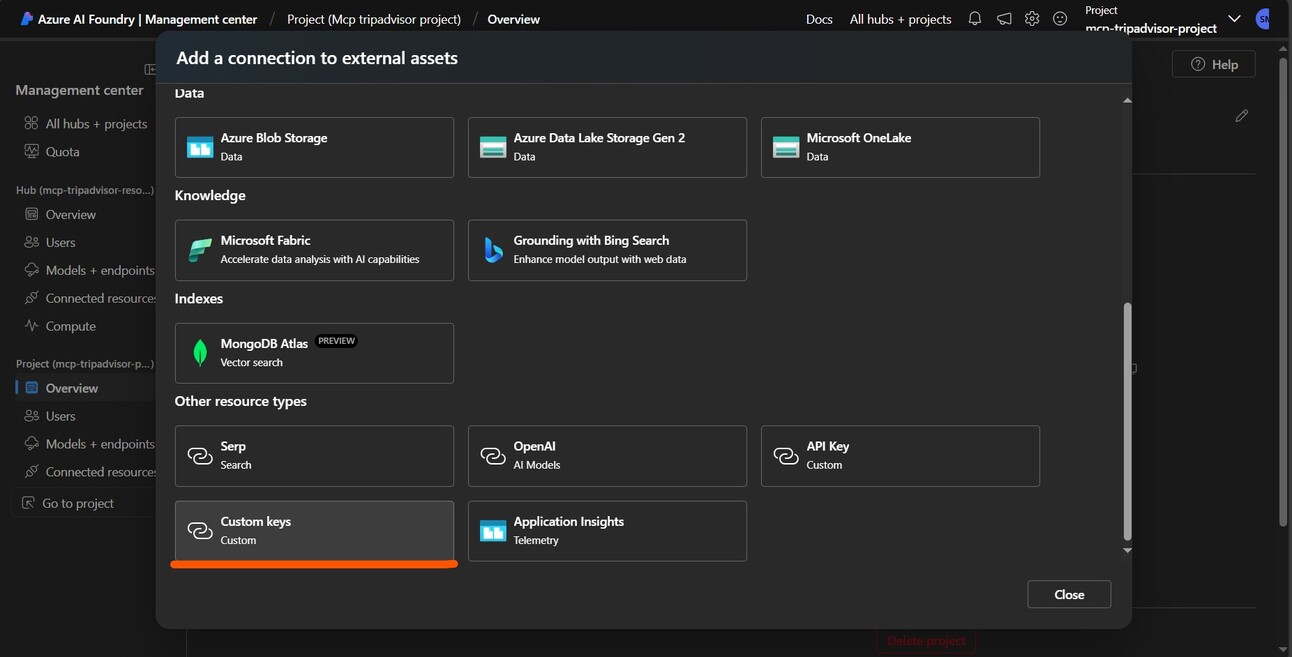
  1. Select “Custom keys”

Screenshot of the Azure AI Foundry dialog Add a connection to external assets, with Custom keys highlighted under other resource types.

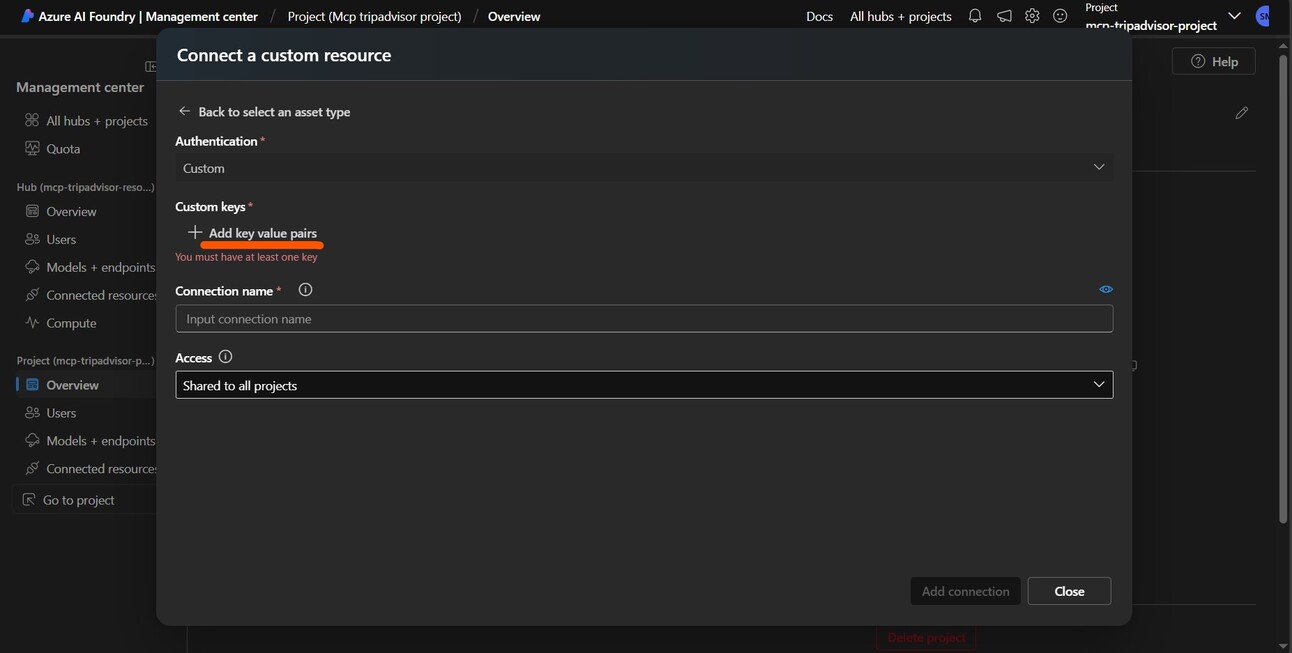
  1. Select “+ Add key value pairs”

Screenshot of the Azure AI Foundry form Connect a custom resource, with Add key value pairs highlighted above the connection name field.

  1. Enter “key” as the Custom key name, paste “your API key” from step 3, and select the “is secret” box. Name the Connection name “tripadvisor_key” and click “Add connection”.
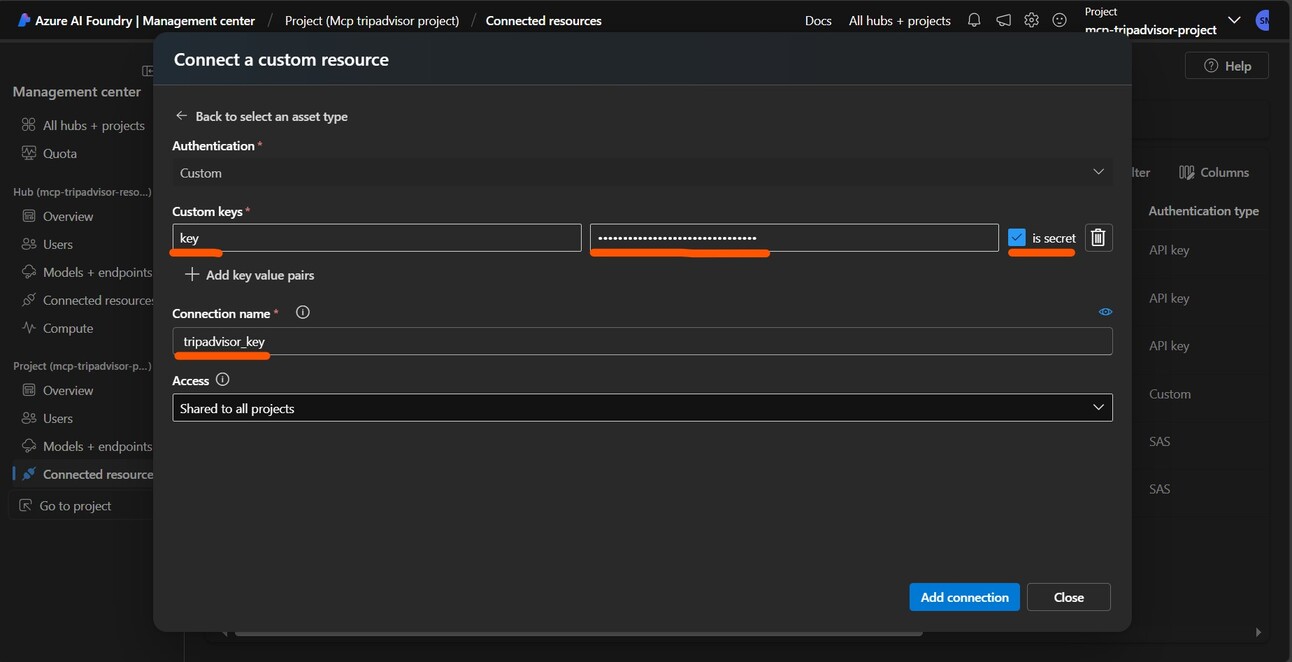
Screenshot of the Azure AI Foundry custom resource form filled in: the key name key, the Tripadvisor API key hidden as a secret, and the connection name tripadvisor_key, ready to add.

Newsletter

Get AI productivity insights delivered

Practical AI guides, tutorials, and fresh insights in your inbox.